نادرًا ما يكون لدى الرسامين ساعات الغيار اللازمة لإعادة رسم رمز الرجل العامل في كل مرة يهبط فيها مخطط إرشاد مروري جديد على المكتب. إعادة الرسم اليدوي تدعو إلى حدوث أخطاء في الحجم, نسب غير متناسقة, والأعمال الفنية غير المتطابقة عبر مجموعة رسم متعددة المواقع. يؤدي عدم الاتساق أثناء مراجعة TGS إلى إطلاق طلبات للحصول على معلومات, إعادة التقديم, وخسارة ساعات العمل القابلة للفوترة - وإعادة العمل المتكررة تلحق الضرر بمكانة شركة التصميم لدى المقاولين الرئيسيين.
هذا الدليل يحل هذا الاختناق مباشرة. يحصل المقدرون الأستراليون ومصممو TGS على إمكانية الوصول الفوري إلى مقياس دقيق قالب علامة الرجل العامل الأصفر, يتم توفيرها ككتل CAD وملفات متجهة جاهزة للإدراج. سيجد كل مستخدم RapidPlan أو AutoCAD تنسيقات الملفات الدقيقة, موازين الإدراج, وحزمة قوالب قابلة للتنزيل مصممة خصيصًا لمعايير رسم التحكم في حركة المرور الأسترالية.
ما أهمية كتل CAD الدقيقة للامتثال لـ TGS
تعمل رسومات مخطط التوجيه المروري بشكل قانوني, وثائق قابلة للتدقيق. يقوم المقاولون الرئيسيون وسلطات الطرق بمقارنة حزمة TGS المعتمدة مع لافتات الموقع المثبتة, لذا فإن أي تناقض بين الرمز المرسوم والعلامة المادية يخلق فجوة في الامتثال يمكن أن تؤخر تسجيل الخروج. تحجيم بشكل صحيح قالب علامة الرجل العامل الأصفر يزيل هذا الخطر من المصدر لأن نفس هندسة المتجهات تنتقل من المسودة الأولى إلى المجموعة النهائية المعتمدة.
الاتساق مهم أيضًا على مستوى الشركة. يحتاج المقدرون الذين يقومون بإعداد حزم TGS متعددة كل أسبوع إلى كل رسم لإظهار نفس نسب الرجل العامل, بغض النظر عن المحرر الذي فتح الملف. يعمل قطع عامل أمان كتلة CAD المشترك على حل هذه المشكلة عن طريق قفل هندسة الرمز مرة واحدة, بدلاً من ترك الأمر للتفسير الفردي.
حجم الخط, وزن السكتة الدماغية, ويتم التحكم في تباين الألوان بشكل منفصل ضمن AS 1742 واجلس خارج نطاق هذه المقالة - للحصول على تفاصيل كاملة لقواعد الوضوح التي تنطبق بمجرد وضع الرمز الخاص بك, راجع دليلنا المخصص لوضوح الخطوط والرموز الخاصة بعلامات كورفلوت سلامة العمال.
تكلفة إعادة رسم الرموز من الصفر
عادةً ما تستغرق إعادة رسم رمز الرجل العامل يدويًا ما بين 15 إلى 30 دقيقة لكل رسم عندما يقوم المصمم ببنائه من أشكال بدائية بدلاً من إدراج كتلة. اضرب ذلك عبر شركة تنتج العشرات من عبوات TGS شهريًا, وتصبح التكلفة الخفية في الساعات القابلة للفوترة كبيرة. أسوأ, نادرًا ما تتطابق الإصدارات المرسومة يدويًا تمامًا, لذلك تنتهي مكتبة الرسم الخاصة بالشركة بعدة رموز "منزلية" مختلفة قليلاً يتم تداولها في وقت واحد.
حيث تتناسب كتل CAD مع سير عمل رسم TGS
يتحرك سير عمل TGS النموذجي من خلال تقييم الموقع, وضع الرمز داخل RapidPlan أو AutoCAD, جدولة التوقيع, وتقديم الموافقة النهائية. ال قالب علامة الرجل العامل الأصفر يقع في مرحلة وضع الرمز - ويتم إدراجه بمجرد تأكيد تخطيط الموقع, ثم انتقل إلى جدول التوقيع دون مزيد من إعادة الرسم.
تنسيقات الملفات التي تحتاجها - DWG, دكسف & وأوضح SVG
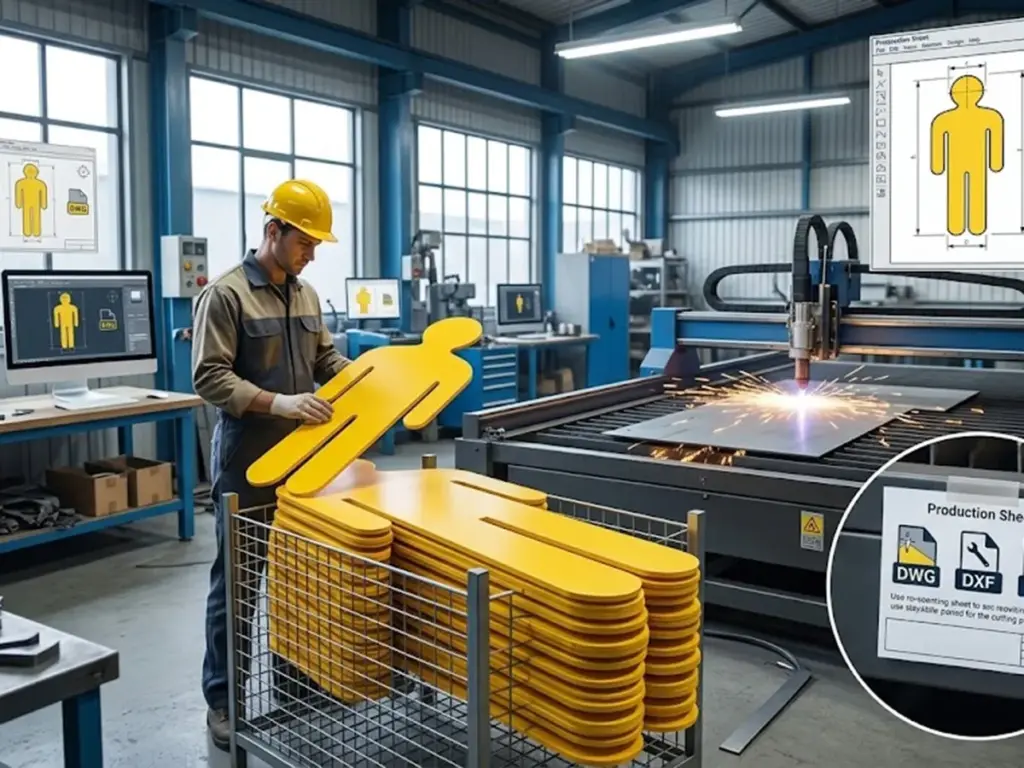
يعمل الرسامون عبر مزيج من البرامج, لذا فإن حزمة القوالب المجانية تأتي بثلاثة تنسيقات, كل منها مناسب لمرحلة مختلفة من سير العمل.
| شكل | أفضل استخدام ل | ملاحظات التوافق |
| .دوغ | يحتفظ إدراج AutoCAD الأصلي بالطبقات وسمات الكتلة | يُفضل الإدراج المباشر في ملفات رسم TGS |
| .دكسف | التبادل عبر الأنظمة الأساسية | استخدم عبر BricsCAD, مايكروستيشن, أو عندما تختلف إصدارات البرامج بين المكاتب |
| .SVG | الاستخدام غير CAD – المناقصات, جداول التوقيع, أوراق المواصفات PDF | المقاييس بشكل واضح لبوابات TGS المستندة إلى الويب وطباعة الأوراق المرجعية |
مصدر: تعكس مواصفات تنسيق الملف اصطلاحات AutoCAD القياسية والرسومات المتجهة
حفظ كتلة CAD للعامل الأصفر مرة أخرى إلى إصدار DWG الأقدم (2013 أو 2018, على سبيل المثال) يتجنب أخطاء التوافق عندما يستمر المستشار أو المقاول في تشغيل نظام CAD القديم.
متى يتم استخدام DWG مقابل DXF لبرنامج TGS
تقبل RapidPlan والأنظمة الأساسية المماثلة الخاصة بـ TGS بشكل عام DWG مباشرة, بينما يصبح DXF الخيار الأكثر أمانًا في البيئات الاستشارية المشتركة حيث يقوم مكتب الاستلام بتشغيل إصدار CAD غير معروف. يجب أن يكون المقدرون الذين يديرون رسومات المقاولين من الباطن الخارجيين افتراضيًا على DXF ما لم يؤكد النظام الأساسي دعم DWG الأصلي.
حالات استخدام SVG خارج مجموعة الرسم
خارج بيئة CAD, ال قالب علامة الرجل العامل الأصفر يتم إدراجها بتنسيق SVG بشكل واضح في مستندات العطاء, سجلات اللافتات, ومكتبات الأصول الرقمية بدون تقسيم على أي مستوى تكبير. يناسب هذا التنسيق أيضًا الشركات التي تحتفظ بمكتبة رموز على الويب للرجوع إليها بسرعة أثناء عرض الأسعار.
نسب القياس الصحيحة لرموز الرجل العامل في RapidPlan وAutoCAD
تفصل دقة المقياس بين حزمة TGS الاحترافية والحزمة المرفوضة. يتم تشغيل رسومات TGS الأسترالية بشكل شائع في 1:100, 1:200, أو 1:500 اعتمادا على نطاق الموقع, ويجب أن يتم قياس كتلة الرمز المدرجة بشكل متناسب عند كل واحدة من هذه النسب دون تشويه.
| مقياس الرسم | تطبيق نموذجي | فحص وحدة الإدراج |
| 1:100 | تفاصيل موقع العمل المترجمة | تأكيد وحدات مم مقابل م قبل الإدراج |
| 1:200 | قطاع الطريق القياسي TGS | قم بمراجعة مقياس الشرح مقابل مقياس الرسم |
| 1:500 | ممرات أوسع أو خطط المنطقة | تحقق من مقياس الشرح مقابل مقياس الرسم |
يحدث خطأ القياس الأكثر شيوعًا عندما يتم إدراج كتلة مدمجة بوحدات ملليمتر في مجموعة رسم للوحدات المترية, إنتاج تشويه 1000x على قطعة الأرض. إن فحص وحدة الإدخال قبل وضع قاطع عامل الأمان لكتلة CAD يمنع حدوث هذا الخطأ تمامًا.
تجنب أخطاء القياس الشائعة عند الإدراج
عدم تطابق الوحدة, إجراءات الانفجار وإعادة القياس العرضية, والخلط بين مقياس التعليقات التوضيحية ومقياس مساحة الورق يمثل معظم تشوهات الرموز المبلغ عنها. يجب على الرسامين التحقق من وحدات الكتل مباشرة بعد الإدراج, قبل الشروع في المزيد من أعمال الرسم.
مطابقة نسب الرموز عبر مجموعة TGS متعددة الإشارات
غالبًا ما تتضمن حزمة TGS الواحدة العديد من مواضع العمال عبر الرسومات بمقاييس مختلفة. استخدام نفس كتلة المصدر لكل مثيل, بدلاً من النسخ ذات الحجم المنفصل, يحافظ على اتساق النسب عندما يقوم المراجع بمقارنة الأوراق جنبًا إلى جنب.
ما الذي تم تضمينه في حزمة قالب لافتة العامل الأصفر المجانية لدينا
تنظم الحزمة القابلة للتنزيل كل منها قالب علامة الرجل العامل الأصفر حول بنية طبقة نظيفة واصطلاح تسمية متسق, حتى تتمكن فرق الصياغة من دمجها في معيار CAD الحالي دون إعادة هيكلة ملفاتها.
- طبقات منفصلة لمخطط الرمز وملء اللون, السماح بإجراء تعديلات سريعة دون الإخلال بالهندسة الأساسية
- مسارات ناقلات قابلة للتحرير (الكتل المرجعية غير مقفلة), لذلك يتم ضبط النسب بشكل نظيف إذا كان المشروع يتطلب تغييرًا
- متغيرات متعددة للوضع والتوجيه لسيناريوهات وضع TGS المختلفة
بنية الطبقة واصطلاحات تسمية الكتلة
تتبع كل كتلة نمط تسمية يمكن التنبؤ به (نوع الرمز, توجيه, رقم المراجعة), والذي يتيح للمقدرين تحديد المتغير الصحيح بسرعة عبر مكتبة مكتبية مشتركة بدلاً من البحث في الملفات غير المسماة.
متغيرات الرمز المضمنة في حزمة التنزيل
تتضمن الحزمة وضعية العامل الدائمة ومتغيرات الذراع الاتجاهية, تغطية سيناريوهات المواضع الشائعة التي يواجهها مصممو TGS - في مواجهة حركة المرور القادمة, توجيه حركة المشاة, أو وضع علامة على منطقة الحظر الثابتة.
كيفية إدراج القالب وتخصيصه في مجموعة الرسم الخاصة بك
بمجرد أن يقوم المصمم باختيار كتلة CAD للعامل الأصفر الصحيح, يتبع الإدراج سير عمل CAD القياسي: تحديد نقطة الإدراج, تأكيد الحجم والدوران, وربط الكتلة بالرسم النشط. يتم ضبط سمات تعبئة اللون بشكل مستقل عن المسار الأساسي, حتى يتمكن المصمم من تحديث مراجع التباين دون إعادة رسم مخطط الرمز.
بعد الانتهاء من وضع الرمز داخل مجموعة الرسم, يتم تصدير الورقة النهائية مباشرةً إلى جدول تسجيل أو ملف PDF لتقديم الموافقة.
إدراج الكتلة في AutoCAD أو RapidPlan
يستخدم الإدراج القياسي الأمر INSERT (أو وظيفة RapidPlan المكافئة), تحديد عامل القياس والدوران ليتناسب مع اتجاه اللافتة في الموقع. يؤدي ضبط التدوير إلى الزاوية الصحيحة لمواجهة حركة المرور في هذه المرحلة إلى تجنب التصحيح اليدوي لاحقًا.
ضبط الألوان والسمات دون كسر المتجه
تحرير سمة التعبئة أو الحد في ملف SVG, أو سمة الكتلة في ملف DWG, يغير المرجع المرئي دون تشويه هندسة المسار الموجود أسفله - بشرط أن يحدث التحرير على مستوى السمة بدلاً من إعادة رسم العقد يدويًا.
بمجرد الانتهاء من مجموعة رسم TGS ووضع الرمز, تنتقل المرحلة التالية من الخطة الرقمية إلى الإشارة المادية. يمكن للشركات التي تنتج اللافتات داخل الشركة مراجعة تعليماتنا خطوة بخطوة لقطع وتجميع علامة سلامة العمال المتعرجة لتلك المرحلة التالية.
من الرسم الرقمي إلى طرح اللافتات المادية
بينما تحافظ هذه القوالب على دقة رسومات TGS وجاهزتها للتدقيق, تحتاج معظم المشاريع في النهاية إلى ترجمة التصميم إلى تصميم متين, علامة جاهزية الموقع. كشركة مصنعة لسلسلة التوريد الكاملة لإشارات المرور التجارية, نحن نأخذ التصميم المعتمد من CAD مباشرة من الخطة الرقمية إلى اللافتات ذات المنفعة العالية, دون الحاجة إلى إعادة الرسم أو إعادة الموافقة.
إن عملية التسليم هذه مهمة أكثر مما قد تبدو للوهلة الأولى. تُظهر أحدث البيانات الوطنية الصادرة عن Safe Work Australia أن حوادث المركبات ظلت السبب الرئيسي للوفيات في مكان العمل 2024, المحاسبة ل 42% من جميع الوفيات المسجلة في ذلك العام, بينما ساهم تعرض العمال للضرب بأشياء متحركة في زيادة ذلك 9% (17 الوفيات). واضح, توجد لافتات موقع العمل ذات الحجم الصحيح مباشرة داخل تدابير التحكم التي تقلل من هذه الفئة من المخاطر, وهذا هو بالضبط السبب في أن دقة الرسم في مرحلة التصميم بمساعدة الكمبيوتر تحمل عواقب حقيقية بمجرد وصول الإشارة إلى جانب الطريق.
لماذا تعمل دقة التصميم في مرحلة التصميم بمساعدة الكمبيوتر (CAD) على تبسيط عملية التصنيع
نظيفة, يزيل ملف المتجهات الذي تم ضبط حجمه بشكل صحيح التخمين الذي قد تحتاج الشركة المصنعة إلى حله قبل الإنتاج. يعني وجود أخطاء أقل في الترجمة الفورية عند التسليم تأخيرات أقل بين موافقة TGS وتسليم التوقيع الفعلي.
توفير ملف القالب الخاص بك للإنتاج
دوغ, دكسف, وملفات SVG كلها قابلة للاستخدام مباشرة من خلال سير عمل إنتاج الشركة المصنعة للعلامة, نفس الشيء قالب علامة الرجل العامل الأصفر المستخدمة في مجموعة الرسم TGS يمكن أن تنتقل مباشرة إلى التصنيع دون تحويل.
الحفاظ على مكتبة رمزية موحدة للرجل العامل عبر المشاريع
تستفيد الشركات التي تدير عدة مجموعات رسم TGS في وقت واحد من معالجة قالب علامة الرجل العامل الأصفر كأصل مكتب مشترك بدلاً من ملف لكل مشروع. مكتبة الكتلة المركزية, يتم التحكم في الإصدار ويتم وضع علامة عليه بشكل واضح, يتيح لكل مصمم ومقدر سحب نفس الرمز المعتمد بغض النظر عن المشروع الذي يعملون عليه.
وضوح التوقيع تحت AS 1742 لا يزال ساريًا قبل نقل أي موضع نهائي إلى الموقع - تقع خطوة الامتثال هذه خارج نطاق هذه المقالة, ويغطي دليل معايير الوضوح الخاص بنا للافتات كورفلوت الخاصة بسلامة العمال متطلبات الخط والتباين بالكامل.
إعداد مكتبة كتلة مشتركة لفريق الصياغة الخاص بك
مستودع مركزي, يمكن الوصول إليها من خلال لوحات الأدوات أو مسار DesignCenter مشترك, يحافظ على عمل كل محرر من مصدر الرمز نفسه بدلاً من النسخ الشخصية التي تنحرف عن المزامنة بمرور الوقت.
التحكم في الإصدار عند تحديث القوالب
عندما يتم الافراج عن مراجعة الرمز, يؤدي دفع التحديث عبر المكتبة المشتركة - بدلاً من استبدال الكتل يدويًا في كل ملف مشروع نشط - إلى الحفاظ على محاذاة كل رسم مفتوح دون كسر عمليات الإدراج الموجودة.
للحصول على إرشادات كاملة لقواعد التخطيط, اتفاقيات التحجيم, ومعايير الوضوح التي تنطبق بمجرد وضع الرمز الخاص بك, الرجوع إلى لدينا دليل التصميم الكامل لللافتات المخصصة للرجل الأصفر corflute, الذي يغطي العملية الكاملة من المفهوم إلى المتوافق, عمل فني جاهز للموقع.
الأسئلة المتداولة - قوالب CAD للعامل الأصفر
س1: ما هو تنسيق الملف الأفضل لإدراج رمز الرجل العامل في رسومات RapidPlan؟?
يعمل DWG بشكل أفضل بشكل عام من أجل التوافق الأصلي, لأنه يحتفظ ببنية الطبقة وسمات الكتلة سليمة. يعمل DXF كبديل موثوق عندما تختلف إصدارات البرامج بين المكاتب.
Q2: هل سيتم قياس كتلة CAD بشكل صحيح عند أي مقياس رسم TGS, مثل 1:100 أو 1:200?
نعم, بشرط مطابقة وحدات الإدراج بشكل صحيح بين المليمترات والأمتار. تتسبب الوحدات غير المتطابقة في حدوث غالبية أخطاء القياس المبلغ عنها عند الإدراج.
س3: هل يمكنني تحرير تعبئة الألوان لقالب SVG دون كسر مسارات المتجهات؟?
نعم. يتم ضبط سمات التعبئة والحد بشكل مستقل عن هندسة المسار الأساسي في برامج تحرير المتجهات القياسية, بحيث لا تؤدي تغييرات اللون إلى تشويه مخطط الرمز.
س 4: هل هذه القوالب مناسبة لتقديمها مباشرة إلى المقاول الرئيسي للحصول على موافقة TGS؟?
يحكم القالب دقة الرسم ونسبته, لكن تسجيل الخروج النهائي يعتمد أيضًا على الخط, التحجيم, والامتثال على النقيض من ذلك تحت AS 1742 — تمت تغطيته بشكل منفصل في دليل معايير الوضوح الخاص بنا.
س5: هل يمكنني إرسال ملف CAD مباشرة إلى الشركة المصنعة لللافتات للإنتاج؟, أم أنها تحتاج إلى إعادة التنسيق?
دوغ, دكسف, وملفات SVG عادةً ما تكون تنسيقات جاهزة للإنتاج, السماح للشركة المصنعة بالانتقال مباشرة من الرسم المعتمد إلى إخراج التوقيع الفعلي دون تحويل.
مراجع
العمل الآمن أستراليا, إحصاءات الصحة والسلامة في العمل الرئيسي في أستراليا 2025
العمل الآمن أستراليا, خلف الارقام: ما الذي يسبب الضرر في العمل