
Eligiendo lo mejor impresora de señales de tráfico afecta la calidad de las señales y su duración. Las necesidades de compra cambian con diferentes tipos de letreros y cuántos necesita. Los letreros personalizados o los pedidos grandes pueden hacer que cada letrero sea más barato. Esto puede hacer que los precios más altos valga la pena. Las buenas reglas y la calidad lo ayudan a mantenerse a salvo de problemas..
En OPTRAFICO, Ofrecemos dos métodos de impresión: serigrafía e impresión digital, cada uno diseñado para satisfacer necesidades específicas.. Si necesita un gran volumen, letreros duraderos o diseños personalizados con colores vibrantes, Nuestras opciones de impresión garantizan una calidad de primer nivel y el cumplimiento de los estándares de la industria., asegurarse de que las señales de tráfico duren y funcionen de manera confiable.
Comprender la tecnología de impresión de señales de tráfico
Tipos de impresoras de señales de tráfico
hay muchos impresoras de señales de tráfico para elegir. Cada tipo tiene características especiales para diferentes trabajos.. Los tipos principales son:
- Impresoras de inyección de tinta
- Impresoras láser
- Impresoras LED
Las impresoras de inyección de tinta producen colores brillantes e imágenes claras. Las impresoras láser imprimen letras nítidas y funcionan rápido para trabajos grandes. Las impresoras LED utilizan nueva tecnología para obtener resultados constantes y ahorrar energía. Elegir la mejor impresora depende del letrero y de cuántas necesitas.
Beneficios de la tecnología avanzada de impresión de carteles
La nueva tecnología ha cambiado la forma en que se fabrican las señales de tráfico. La impresión digital es rápida y flexible. Las impresoras digitales no necesitan planchas, para que cuesten menos y funcionen más rápido. Pueden imprimir un cartel a la vez., lo que hace que los carteles personalizados sean más baratos. Las impresoras digitales pueden imprimir cosas diferentes en cada letrero..
- La impresión digital es más rápida porque no utiliza planchas. Esto reduce los costos y hace que los trabajos terminen antes..
- Te permite imprimir solo un cartel., lo cual es difícil con los métodos antiguos.
- La impresión digital puede poner diferentes palabras o imágenes en cada letrero..
- Los métodos antiguos como la serigrafía son más lentos y no tan exactos. No sirven para imprimir solo un cartel..
Impacto en la calidad de la señal
Mejor impresoras de señales de tráfico hacer que las señales duren más y sean más seguras. Las buenas impresoras ayudan a que los carteles sigan siendo fáciles de ver durante muchos años. La siguiente tabla muestra cómo cambian los tipos de señales, cuánto duran y qué tan bien se pueden ver.:
| Tipo de signo | Esperanza de vida | Impacto de la reflectividad en la seguridad |
|---|---|---|
| Prismático de alta intensidad (CADERA) | Acerca de 10 años | Ayuda a los conductores a ver las señales por la noche y reduce los accidentes. |
| Grado de diamante (DG3) | 12 años o más | Muy fuerte y ayuda a los conductores a ver las señales en la oscuridad. |
El Manual en dispositivos de control de tráfico uniformes da reglas sobre cuán brillantes deben ser las señales. Las señales que reflejan mejor pueden ayudar a evitar accidentes. En Iowa, Mejores señales de alto reducen los accidentes 38%. Comprar buenas señales reflectantes es importante para la seguridad en lugares de riesgo. Los fabricantes que utilizan nuevas impresoras de señales de tráfico ayudan a las ciudades a ahorrar dinero y mantener a las personas seguras.
Evaluación del equipo de impresión de señales de tráfico
Características clave a evaluar
De cheques impresora de señales de tráfico El equipo ayuda a los compradores a evitar errores.. También les ayuda a obtener una buena relación calidad-precio.. Los expertos dicen que hay que observar algunas características importantes.:
- Velocidad y volumen de impresión.: Los trabajos grandes necesitan impresoras que funcionen rápido.
- Calidad de impresión: Las señales deben verse nítidas y tener los colores correctos..
- Compatibilidad de materiales: La impresora debe utilizar muchos tipos de materiales y tintas..
- Facilidad de uso: Los controles sencillos y la limpieza automática ahorran tiempo.
- Infraestructura: La impresora y la ruta de entrega deben adaptarse al edificio..
- Costo de propiedad: Piensa en el precio y cuánto cuesta ejecutarlo..
- Integración de software: La impresora debería funcionar con programas de diseño y ayudar a que el proceso sea más rápido..
- Soporte y garantía: Buena ayuda y una sólida garantía protegen su dinero.
Las herramientas pueden ayudarle a comparar estas funciones en diferentes impresoras. Observar los detalles de la impresora y cómo cuidarla le ayudará a elegir la correcta.
Compatibilidad de materiales y durabilidad.
La compatibilidad del material es muy importante para la duración de las señales.. La mejor impresora funciona con muchos materiales como el aluminio., láminas reflectantes, y plasticos. La siguiente tabla muestra cómo funcionan los métodos de impresión con diferentes materiales de señalización.:
| Método de impresión | Material utilizado | Características de rendimiento |
|---|---|---|
| Aplicado Directamente | Láminas retrorreflectantes | Bueno para carteles grandes; utiliza láminas reflectantes para lugares oscuros. |
| Copia desmontable | metal fino | Te permite cambiar palabras sin comprar un letrero nuevo; ahorra dinero para carteles grandes. |
| Pantalla positiva | Cara del letrero de color más claro | Bueno para señales de reglas; ahorra dinero al hacer muchos carteles. |
| Pantalla negativa | Retrorreflectante blanco | Hace palabras blancas en carteles de colores.; Puede que necesite una película para dejar de desvanecerse.. |
| Película superpuesta | Retrorreflectante blanco | Ahorra dinero para palabras especiales; te permite elegir colores. |
| Impresión Electrónica | Retrorreflectante blanco | Rápido para diseños difíciles; puede tomar el control a medida que la tecnología mejore. |
Para comprender mejor cómo elegir el material y los métodos de montaje adecuados para sus señales de tráfico, Mira nuestro blog en Selección de materiales y métodos de montaje para señales de seguridad del tráfico: Lo que necesitas saber.
Evaluación de la capacidad de producción.
Tasas de producción y escalabilidad
Cuántos carteles puede hacer una impresora es muy importante. Las principales empresas utilizan nueva tecnología para fabricar más carteles cuando es necesario. Flujos de trabajo automatizados, como los de DesignNBuy, Ayude a las imprentas a fabricar más carteles sin contratar más personas.. Estos sistemas utilizan plantillas listas para usar y configuraciones de trabajo automáticas para agilizar el trabajo..
Una buena gestión de pedidos permite a los equipos dedicar más tiempo a hacer carteles. No pierden el tiempo en trámites. Un software especial ayuda con trabajos personalizados de señales de tráfico. Utiliza plantillas y comprueba si las señales siguen las reglas.. Por aquí, hay menos errores y las señales se mantienen de alta calidad. La siguiente tabla muestra cómo las principales empresas fabrican más carteles.:
| Método | Beneficio |
|---|---|
| Flujos de trabajo automatizados | Hacer más carteles sin más trabajadores |
| Gestión eficiente de pedidos | Menos papeleo, más señales hechas |
| Software especializado | Manejar trabajos personalizados, seguir las reglas, menos errores |
Consejo: Los compradores deben preguntar a los proveedores sobre sus sistemas y software automatizados.. Estas herramientas muestran si un proveedor puede manejar pedidos grandes y mantener la buena calidad de los carteles..
Verificación de las afirmaciones del fabricante de señales de tráfico
Las listas de verificación de proveedores ayudan a los compradores a ver si los fabricantes dicen la verdad sobre sus impresoras. Los fabricantes comparten cifras sobre qué tan rápido imprimen, cuantos errores ocurren, y si siguen reglas. Pero comprobar estos datos usted mismo garantiza que sean ciertos..
Los fabricantes prueban sus impresoras en diferentes pasos para demostrar que funcionan bien:
| Fase de prueba | Objetivo |
|---|---|
| TVE | Encuentra riesgos y establece qué tan buena debe ser la impresora. |
| TVP | Comprueba cuánto puede soportar el diseño y lo arregla. |
| PVT | Se asegura de que los lotes grandes se fabriquen de la manera correcta |
Los compradores deben consultar los informes de garantía para ver con qué frecuencia las impresoras se rompen o tienen problemas.. También pueden consultar datos públicos y utilizar programas informáticos para detectar problemas.. Los expertos pueden dar consejos honestos durante los controles..
Identificar señales de alerta
Señales de advertencia sobre cuántas señales puede generar una impresora pueden significar problemas más adelante. Los compradores deben buscar estas señales al revisar las impresoras:
- Las señales no se hacen a la misma velocidad o llegan tarde.
- Muchos errores en las señales de prueba..
- Sin sistemas automatizados ni máquinas antiguas..
- Malos antecedentes sobre el cumplimiento de las reglas..
- No puedo hacer más letreros ni manejar pedidos especiales..
Nota: Si un proveedor de señales de tráfico no comparte datos claros sobre cuántas señales puede hacer o no muestra los resultados de las pruebas, los compradores deben tener cuidado. Los buenos proveedores siempre comparten hechos claros y muestran un buen trabajo..
Verificar cuántos carteles puede producir una impresora ayuda a los compradores a elegir impresoras que produzcan buenos carteles, satisfacer las necesidades, y tener menos errores. Esto ayuda a los compradores a obtener buenos resultados durante mucho tiempo y a confiar en sus proveedores..
Pasos prácticos para los responsables de adquisiciones
Crear una lista de verificación de evaluación
Una buena lista de verificación ayuda a los equipos a comparar proveedores de impresoras. La lista de verificación cubre cada parte de la compra.. Los equipos eligen quién hace cada trabajo y establecen un cronograma. Hacen reglas para que todos sean justos. Los equipos eligen lo que más importa, como precio y calidad. Escribir las cosas mantiene todo claro y honesto..
| Elemento | Descripción |
|---|---|
| Asignaciones del equipo de evaluación | Dar trabajos a los miembros del equipo que ayudan con la evaluación.. |
| Cronograma de evaluación | Haga un cronograma para saber cuándo ocurre cada paso. |
| Normas y procedimientos de evaluación. | Establecer reglas sobre cómo el equipo hará la evaluación.. |
| Criterios de evaluación | Elige qué comprobar, Me gusta el precio, calidad, y cómo lo hacían los vendedores antes. |
| Proceso de documentacion | Escriba cómo el equipo verifica todo para mantenerlo claro y justo.. |
Los gerentes de adquisiciones utilizan informes para conocer el mercado.. Estos informes muestran precios., crecimiento, y como lo hacen los vendedores. Los informes hablan de riesgos y nuevos cambios.. Ayudan a los equipos a tomar decisiones inteligentes y evitar problemas..
Realización de auditorías o recorridos virtuales
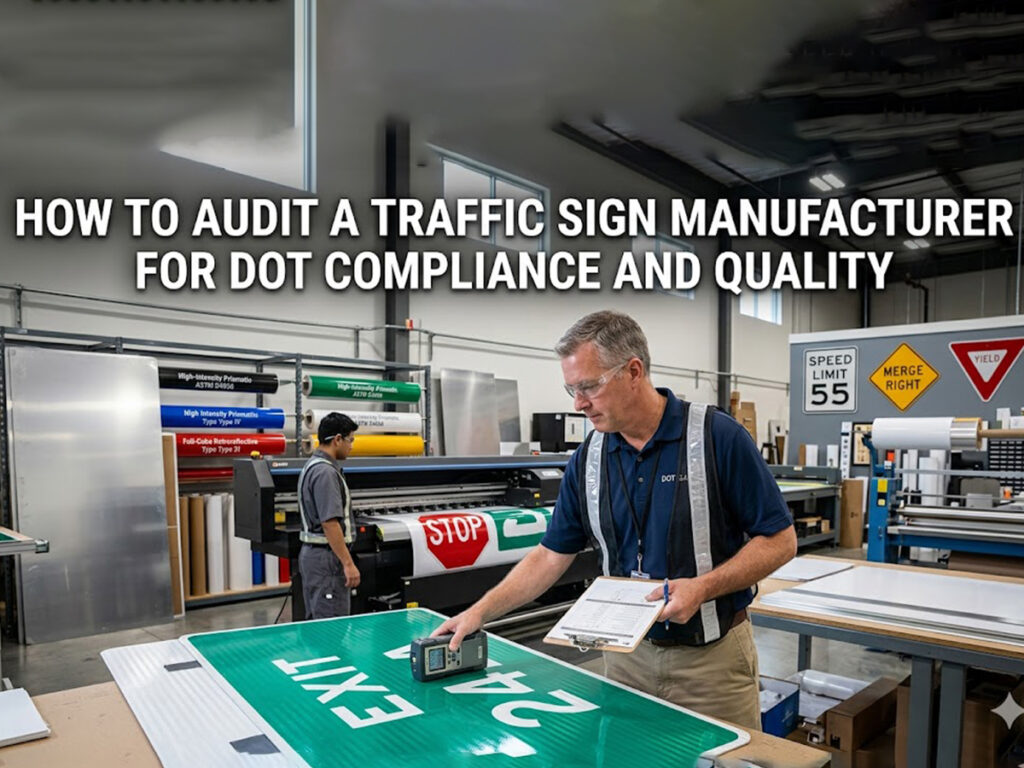
Las auditorías y los recorridos virtuales permiten a los compradores ver cómo trabajan los proveedores.. Los equipos verifican si los proveedores siguen las reglas y mantienen altos estándares.. Las auditorías muestran cómo los proveedores cumplen los plazos y utilizan buena tecnología. Los recorridos virtuales permiten a los compradores ver máquinas y trabajadores sin tener que desplazarse.
Consejo: Observar cómo les iba a los proveedores antes ayuda a los compradores a encontrar buenos socios. Los buenos socios ofrecen mejores ofertas y entregan a tiempo.
Las auditorías y revisiones ayudan a mantener la honestidad de los proveedores. Los equipos establecen objetivos y acuerdos para realizar un seguimiento del desempeño de los proveedores.. Esto genera confianza y ayuda a todos a tener éxito durante mucho tiempo..
Solicitar resultados de muestra
Los resultados de muestra muestran si las impresoras hacen buenas señales. Los equipos prueban los materiales y comprueban si las señales duran. Usan cámaras para probar el calor, luz, y agua. Esto garantiza que las señales funcionen en el exterior..
| Método de garantía de calidad | Descripción |
|---|---|
| Pruebas de materiales | Comprueba si los proveedores utilizan buenos materiales y prueba cómo funcionan.. |
| Prueba ambiental | Utiliza cámaras para ver si las señales duran en condiciones climáticas adversas. |
| Inspección del producto final | Mira los carteles para comprobar el tamaño y si cumplen con los estándares.. |
Los equipos verifican si las muestras cumplen con reglas como AS 1743 y MUTCD. Buscan los colores y la reflectividad adecuados. El uso de impresoras 3M y piezas compatibles ayuda a obtener los mejores resultados. Este paso ayuda a los compradores a evitar errores y mantiene las carreteras seguras..
Tomar la decisión final
Equipo de equilibrio, capacidad, y costo
Un gerente necesita pensar en muchas cosas antes de elegir una impresora de señales de tráfico.. Encontrar la combinación adecuada ayuda a que la impresora funcione bien durante mucho tiempo. La siguiente tabla enumera los aspectos clave que se deben comprobar al tomar una buena decisión.:
| Criterios | Descripción |
|---|---|
| Tecnología de impresión | Comprueba qué tecnología de impresión te da la calidad y velocidad que necesitas. |
| Volumen de producción | Piense en cuántas señales necesita para elegir el tamaño de impresora correcto y qué puede hacer. |
| Opciones de acabado | Elija impresoras que puedan agregar cosas como capas protectoras o barniz digital. |
| Compatibilidad de materiales | Asegúrese de que la impresora funcione con los materiales necesarios para las señales de tráfico., como láminas retrorreflectantes. |
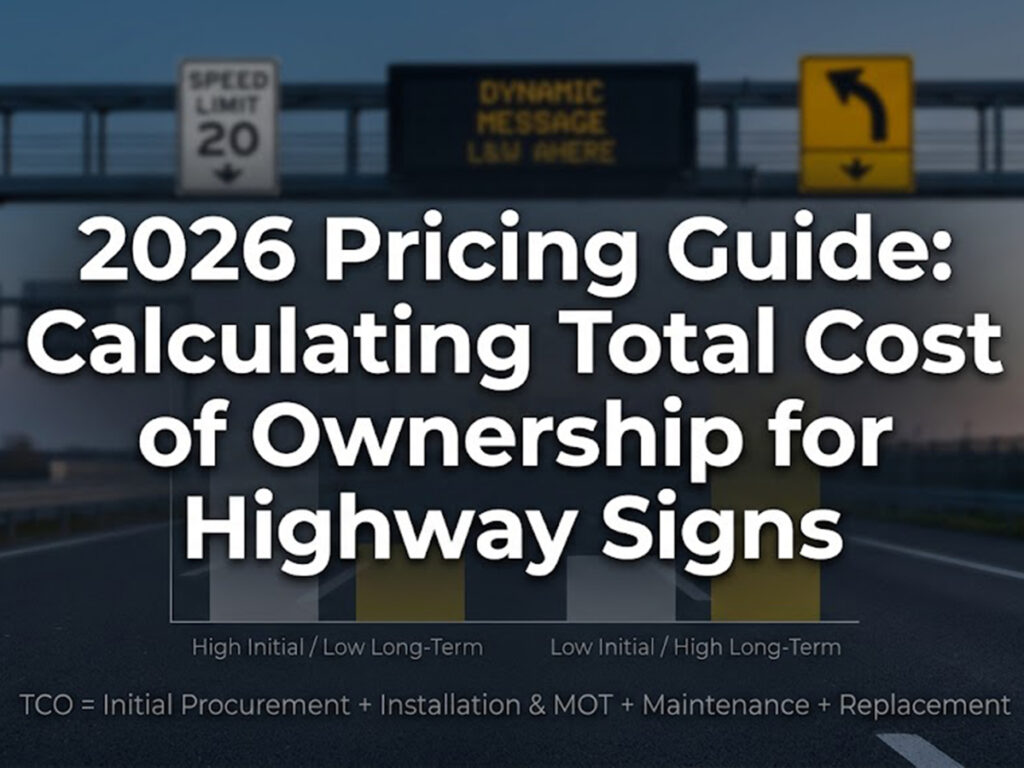
| Costo total de propiedad (TCO) | mira a toda costa, como tinta, refacción, y poder, no solo el precio para comprarlo. |
Un gerente debe hacer coincidir estas cosas con las necesidades del grupo.. La mejor manera de comprar es asegurarse de que la impresora pueda manejar la cantidad de carteles que desea.. Verificar el costo total le ayuda a no perder ningún costo oculto. Las opciones de acabado y los materiales que utiliza la impresora también cambian la duración de los carteles y su apariencia..
Negociación con proveedores de señales de tráfico.
Un buen plan para hablar con los proveedores ayuda a establecer una asociación sólida.. Estos pasos ayudan a los gerentes a conseguir mejores ofertas:
- Sepa lo que quiere y lo que no puede cambiar..
- Haz un buen equipo para ayudar con las charlas..
- Trabajar juntos para acordar los detalles..
- Utilice hechos y números para ayudar en su caso.
- Establecer plazos claros para las conversaciones..
- Utilice la tecnología para ayudar al equipo..
- Anota cada paso.
- Continúe siguiendo buenos pasos después de firmar el acuerdo..
Los gerentes que utilizan hechos y objetivos claros obtienen mejores acuerdos. Los plazos ayudan a todos a terminar las conversaciones a tiempo. La tecnología permite a los equipos compartir y comprobar información sobre proveedores. Escribir cada paso mantiene seguras a ambas partes y ayuda a que la asociación dure. después del trato, Los gerentes deben verificar cómo le está yendo al proveedor y seguir hablando con él..
Consejo: Los gerentes que construyen asociaciones sólidas con proveedores a menudo obtienen un mejor servicio y entregas a tiempo..
Los gerentes deben seguir pasos simples para elegir la mejor impresora de señales de tráfico. Deberían mirar lo que el equipo puede hacer.. Es importante comprobar cuántas señales puede realizar la impresora.. Los gerentes también deberían pedir muestras para ver cómo quedan las señales.. Una verificación cuidadosa ayuda a asegurarse de que las señales sean buenas, durar mucho, y no cueste demasiado. Preguntar sobre la tecnología de las impresoras y qué pueden hacer los proveedores ayuda a los gerentes a tomar mejores decisiones.
Preguntas frecuentes
¿Qué deben buscar los gerentes de adquisiciones durante las visitas a los proveedores??
Los responsables de adquisiciones deben comprobar el equipo.. Deberían vigilar cómo se hacen los carteles.. Los gerentes también observan cómo se verifica la calidad.. Visitar a los proveedores ayuda a los gerentes a ver si lo que dicen es cierto. Estas visitas muestran si el lugar sigue las reglas correctas.. Los gerentes pueden hacer preguntas y observar el trabajo mientras sucede..
¿Con qué frecuencia deben realizarse las visitas a los proveedores??
Los gerentes deben visitar a los proveedores antes de cerrar un trato.. También deberían volver a visitarnos de vez en cuando.. Las visitas frecuentes ayudan a mantener alta la calidad de las señales. También ayuda a los gerentes a confiar en el proveedor.. Estas visitas permiten a los gerentes encontrar problemas tempranamente y asegurarse de que se sigan las reglas..
¿Por qué son importantes las visitas a proveedores para la adquisición de señales de tráfico??
Las visitas a los proveedores permiten a los gerentes ver cómo se fabrican las señales. Pueden comprobar las máquinas y herramientas utilizadas.. Estas visitas ayudan a los gerentes a saber si el proveedor sigue las reglas correctas.. Los gerentes también pueden ver si el proveedor puede hacer muchas señales..
¿Pueden las visitas a proveedores ayudar con los controles de cumplimiento??
Sí. Los gerentes pueden consultar los certificados del proveedor durante las visitas.. Pueden comprobar si el proveedor sigue todas las normas.. Estas visitas ayudan a garantizar que las señales sean seguras y cumplan con la ley..
¿Cuáles son los beneficios de las visitas virtuales a proveedores??
Las visitas virtuales ahorran tiempo y dinero en viajes. Los gerentes aún pueden ver las máquinas y hacer preguntas.. Pueden ver cómo se hacen las cosas en línea.. Las visitas virtuales son una buena forma de comprobar cómo están los proveedores y mantener una buena relación.